
Work sessions
How long has this song taken? In Session Mode you start a session on a project, and the time you work on it adds up: per session, and in total.
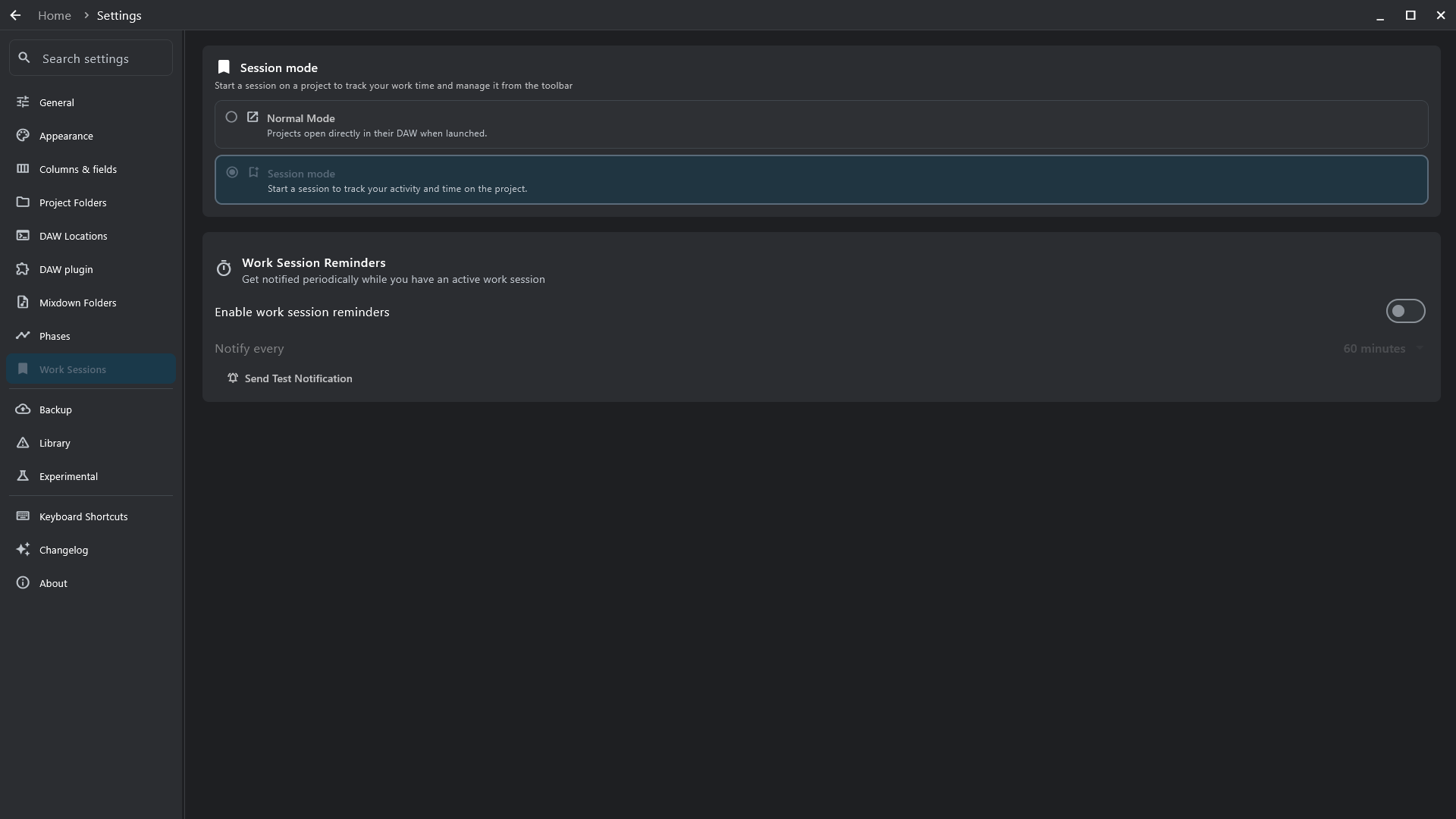
- Switch it on — Settings → Work Sessions → Session mode. Off by default; in Normal Mode, launching a project just opens it in its DAW.
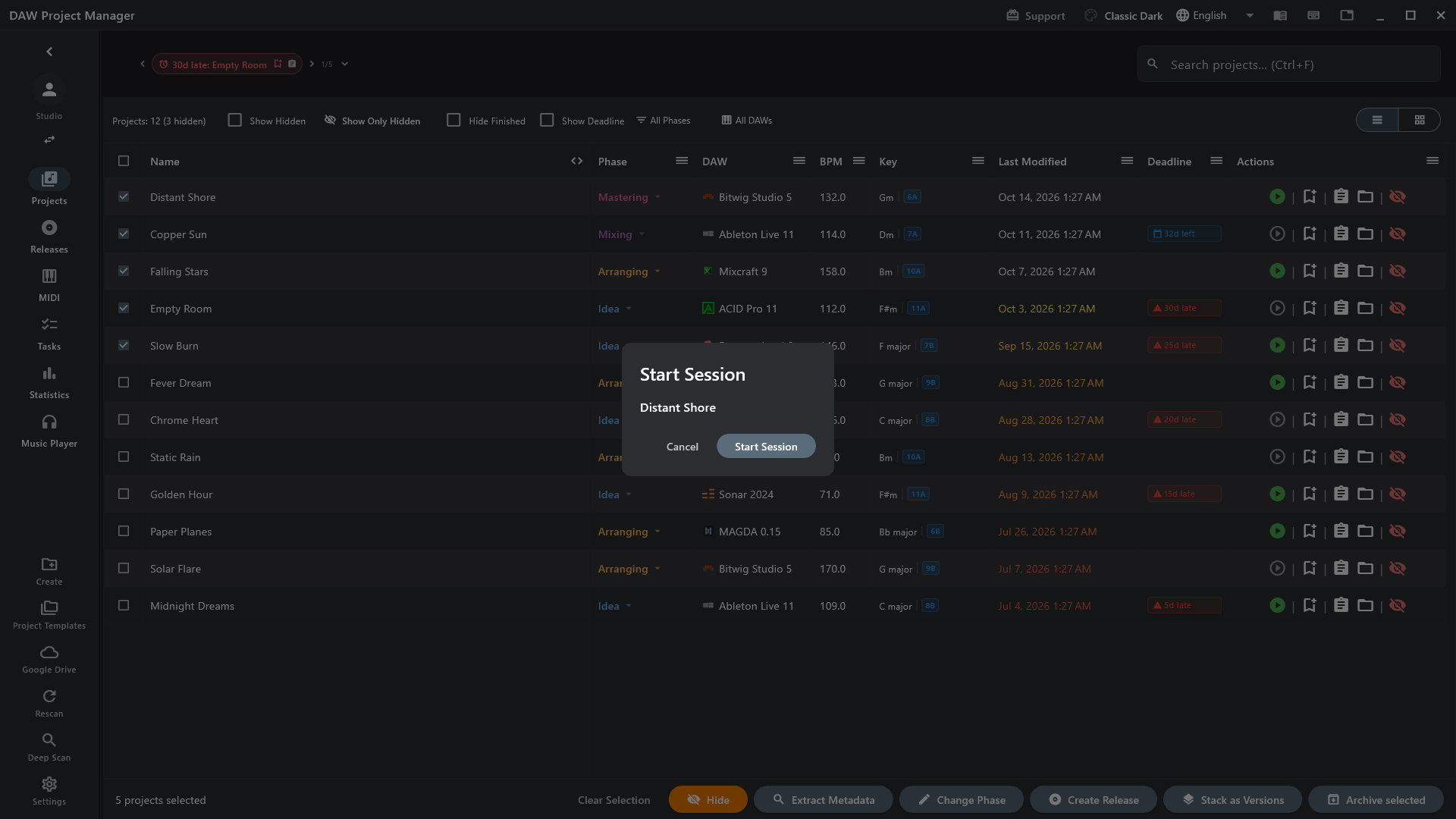
- Start a session — the bookmark button on a project's row (or S), then Start Session. The app asks before starting, switching or ending one, so the timer always means what you think.
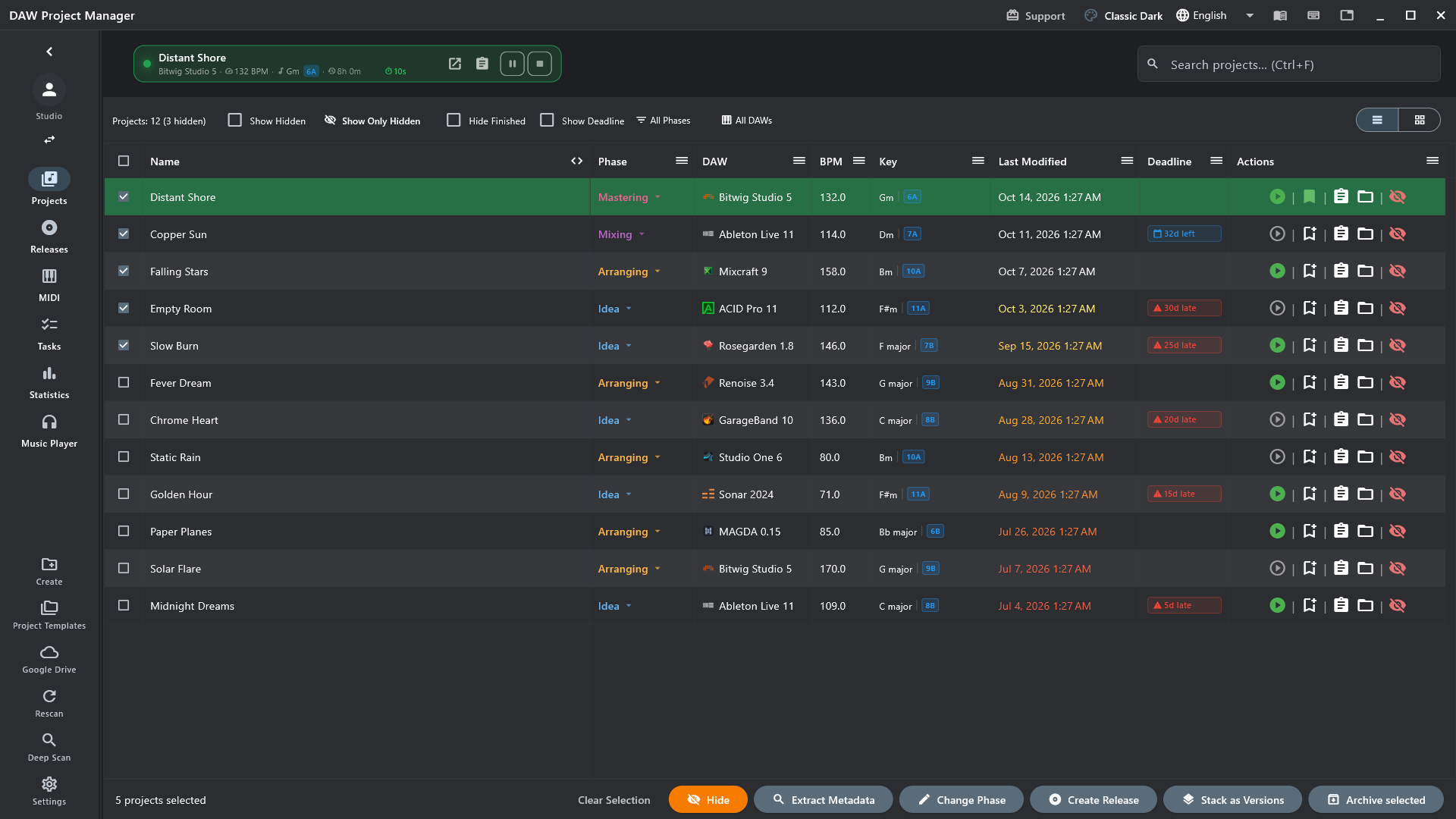
- Work — the session bar at the top shows the song, its total so far and this session's time, with pause and stop. Its buttons open the project in its DAW or its page.

Every session, on record
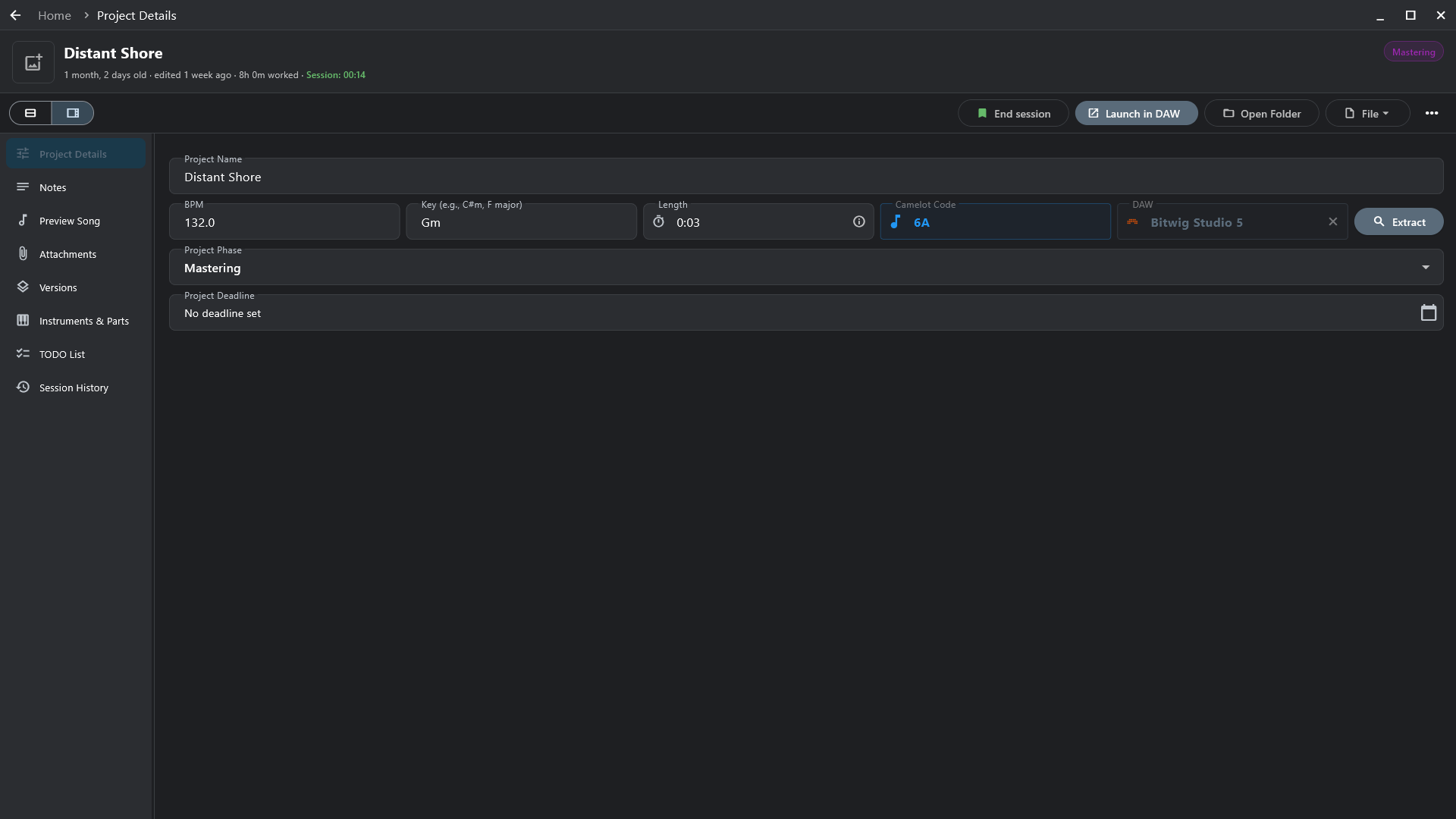
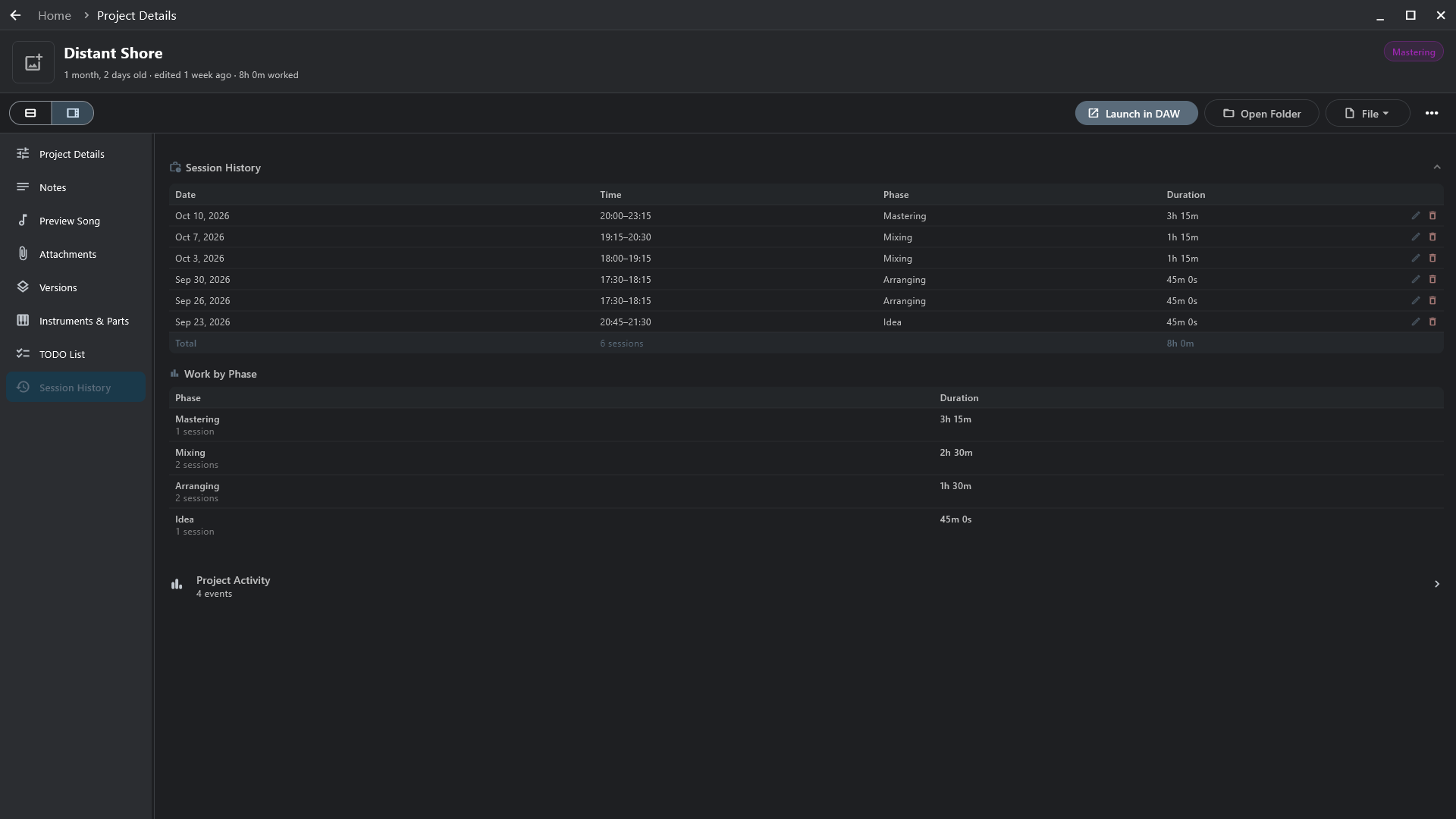
Section titled “Every session, on record”A project's Session History lists each session — the day, when it started and ended, the phase the song was in, how long — and adds them up, then by phase: how long the song spent in arranging, in mixing. A session timed wrong can be edited or removed.
- A version stack adds up the time of all its versions.
- Reminders (Settings → Work Sessions) notify you at the interval you choose while a session runs, so one isn't left running by mistake.