















New in 3.0 Sample packs, a DAW plug-in, MIDI keyboards →

Every project, every DAW,
one place.

The songs spread across your project folders, in one library: what's inside each one, where it stands, and what's left to do — from first idea to release.

macOS · Windows · Linux · Android — free & open source

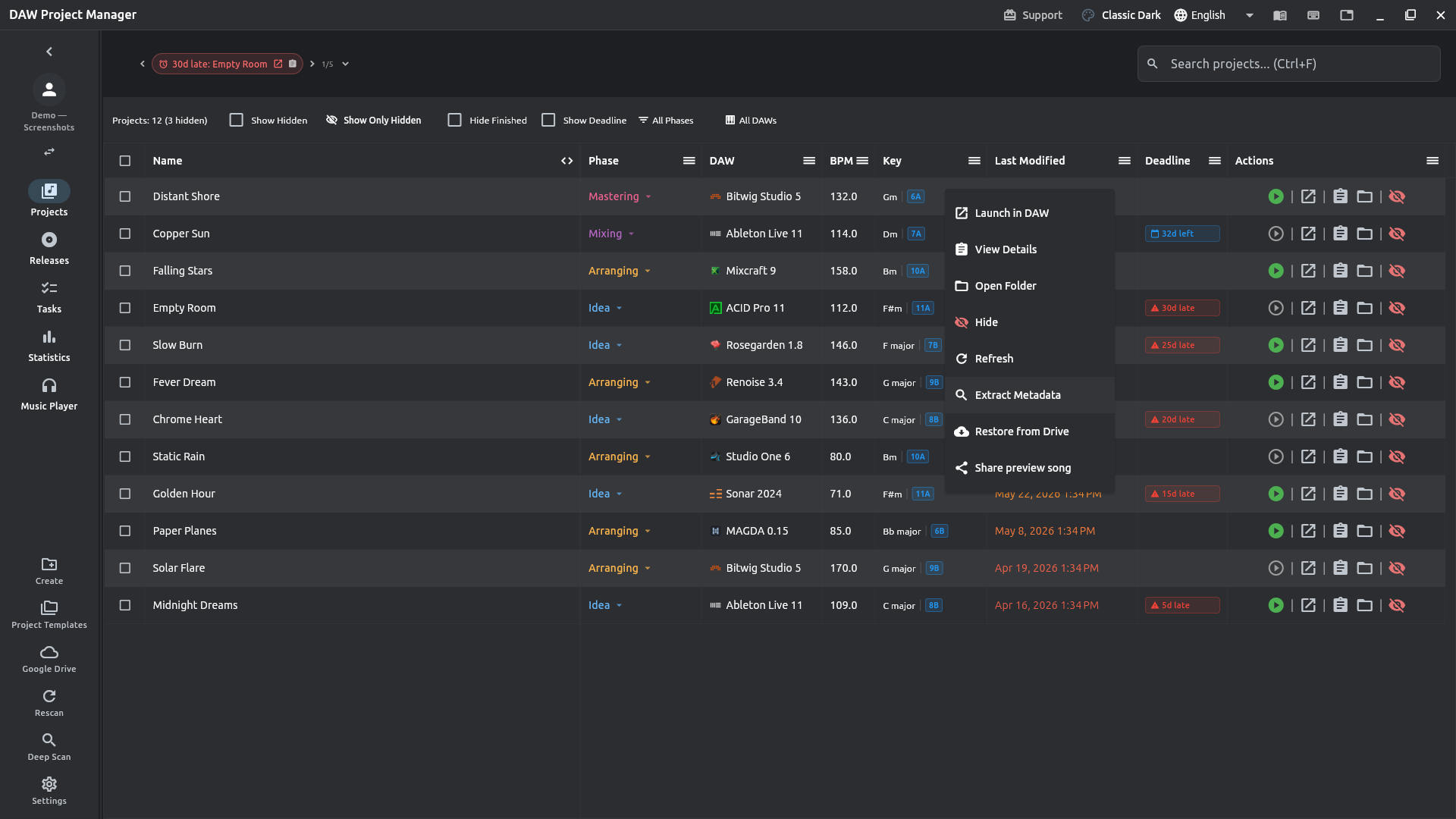
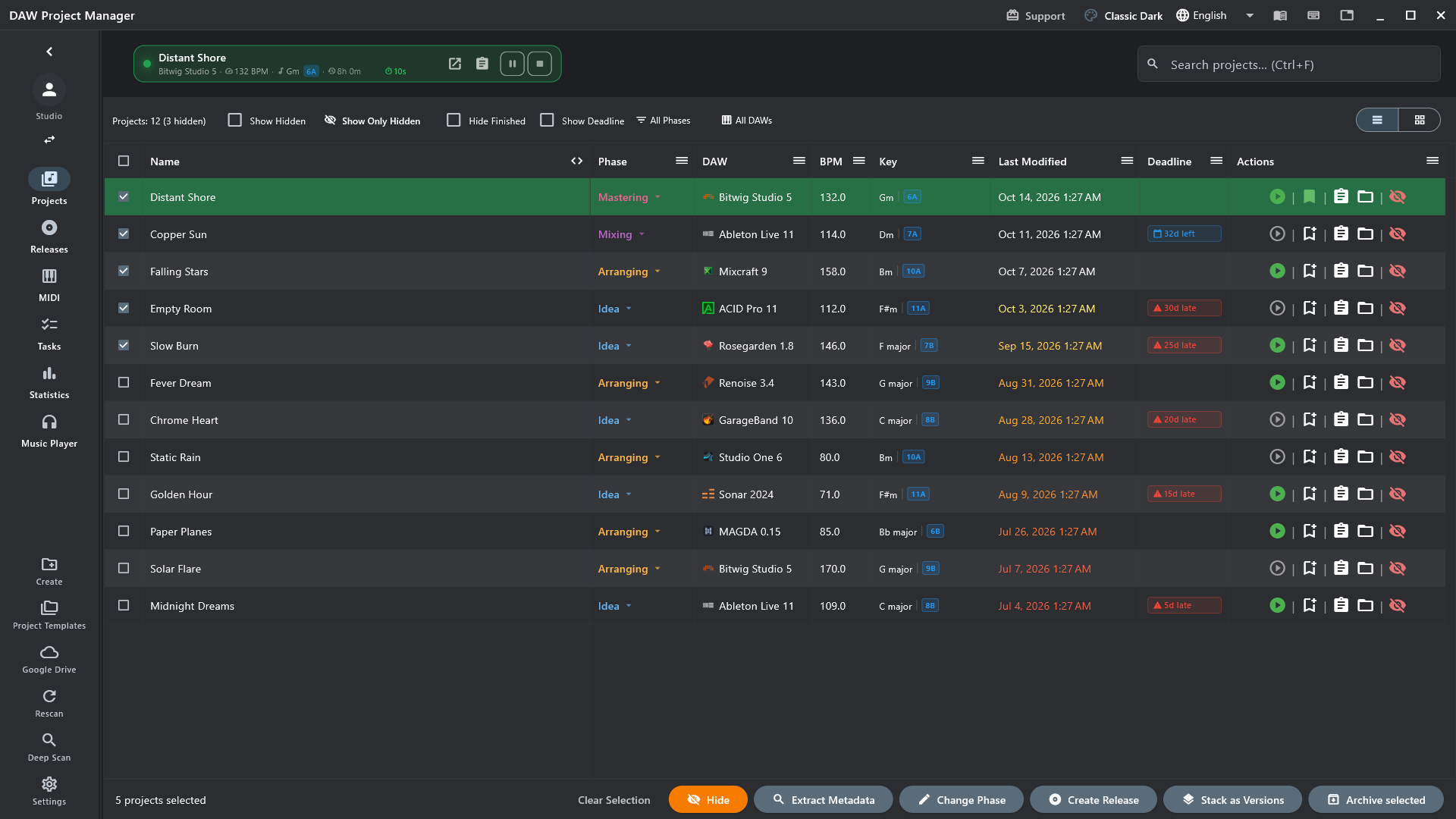
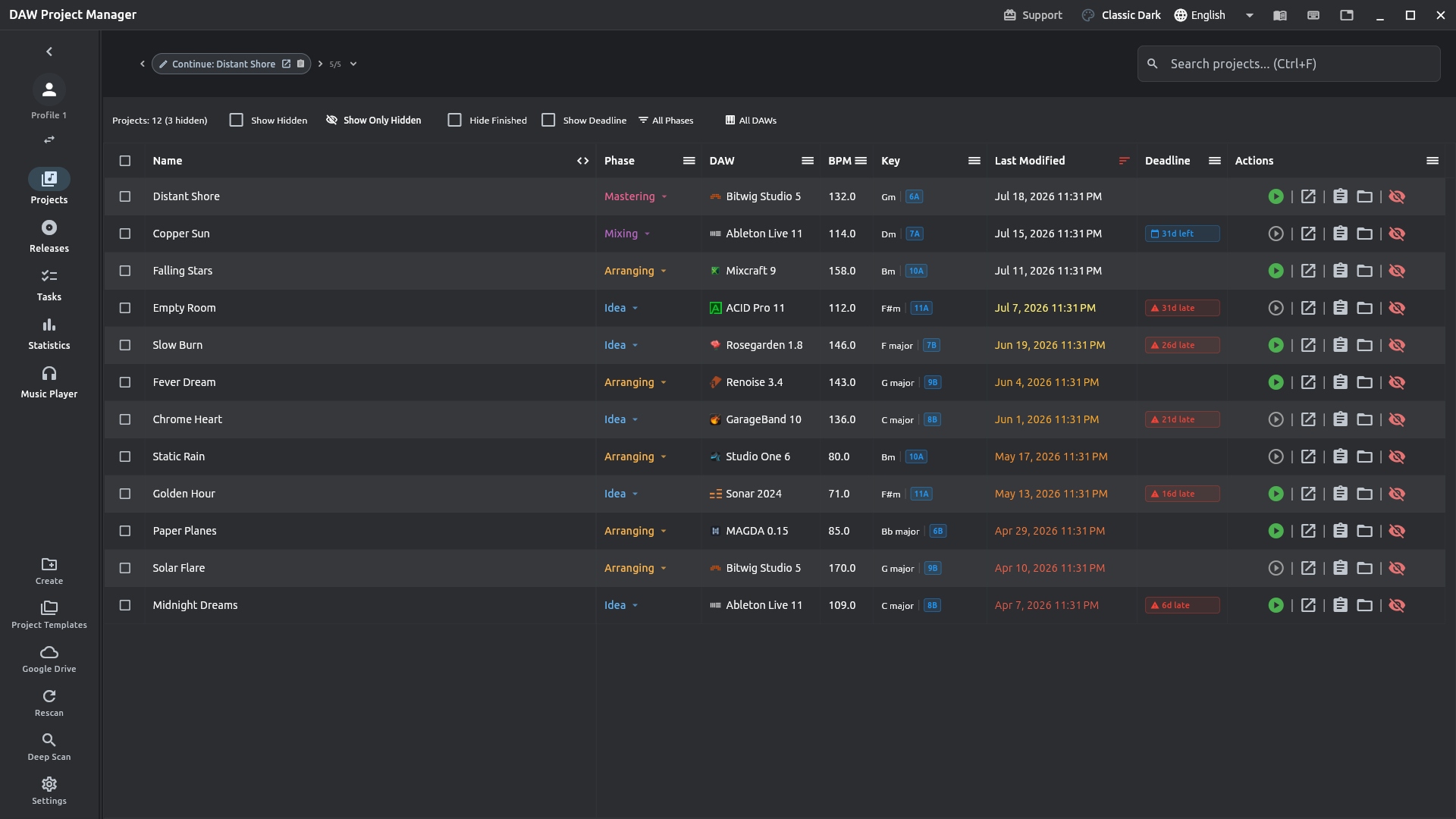
DAW Project Manager dashboard showing a table of projects across several DAWs, phases, and BPMs

Finds the projects of 28 DAWs — see what's read from each

New in 3.0

What's new

The biggest release yet. Here is what it brings — and every change, version by version.

Experimental · Sample pack

Every sample your songs use, in one pack

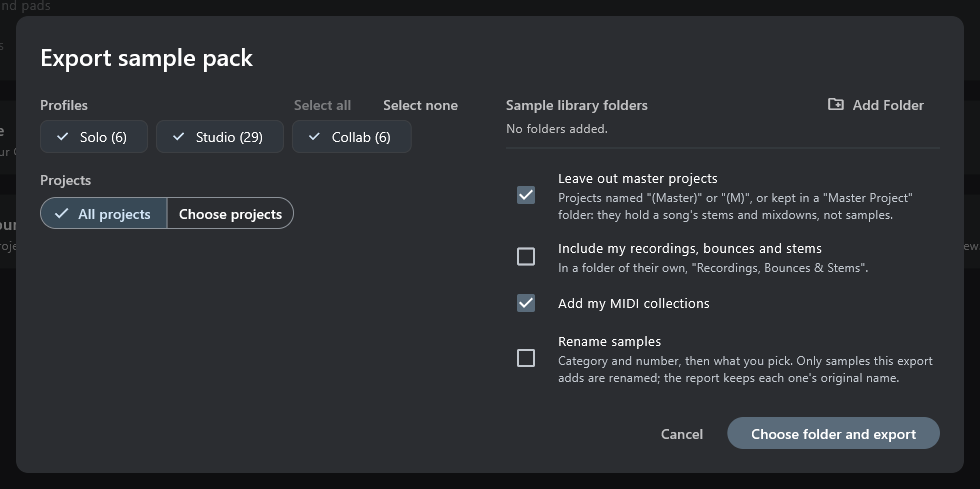
The kicks, loops and one-shots your projects play — from audio clips and from samplers — copied into one folder, sorted by kind, with a report of how many songs use each one.

  • Each sample once, however many projects copied it.
  • Samples that moved are found again in your sample library folders.
  • Your own recordings, bounces and stems stay out unless you ask, and mastering sessions are skipped.
  • Your MIDI collections can go in the pack too.
  • Export again later: only what's new is added. Optionally renamed with their BPM and key.
Read fromAbleton LiveCubaseFL StudioReaperStudio One
The sample pack export dialog: profiles, library folders and options
New · DAW plug-in

Your to-dos, inside your DAW

A plug-in for the master bus of any DAW that loads VST3 — or AU on macOS. Audio passes through untouched.

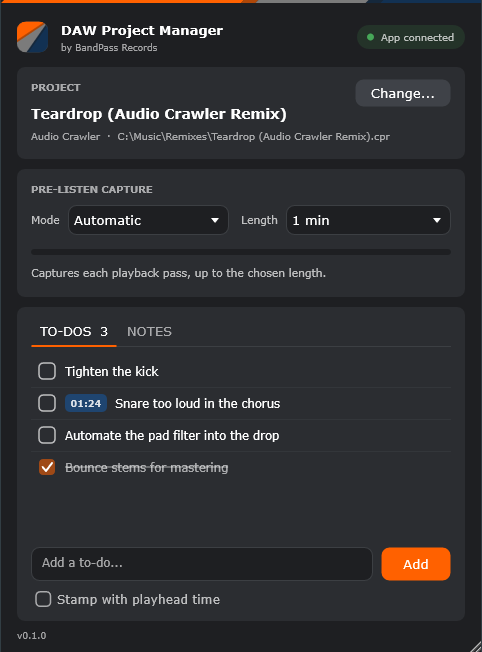
  • Pre-listen capture: each playback pass becomes the project's latest capture in the app, ready to play — no bouncing.
  • To-dos and notes in the DAW: tick them off, add new ones, stamp one with the playhead time.
  • Work sessions follow the DAW: the app knows when the project opens and closes.
  • Knows which project is open, from the DAW's window or the app's launch.
Get the plug-in
The plug-in in a DAW: the linked project, pre-listen capture, and the project's to-dos
New · MIDI keyboard

Play and record into the piano roll

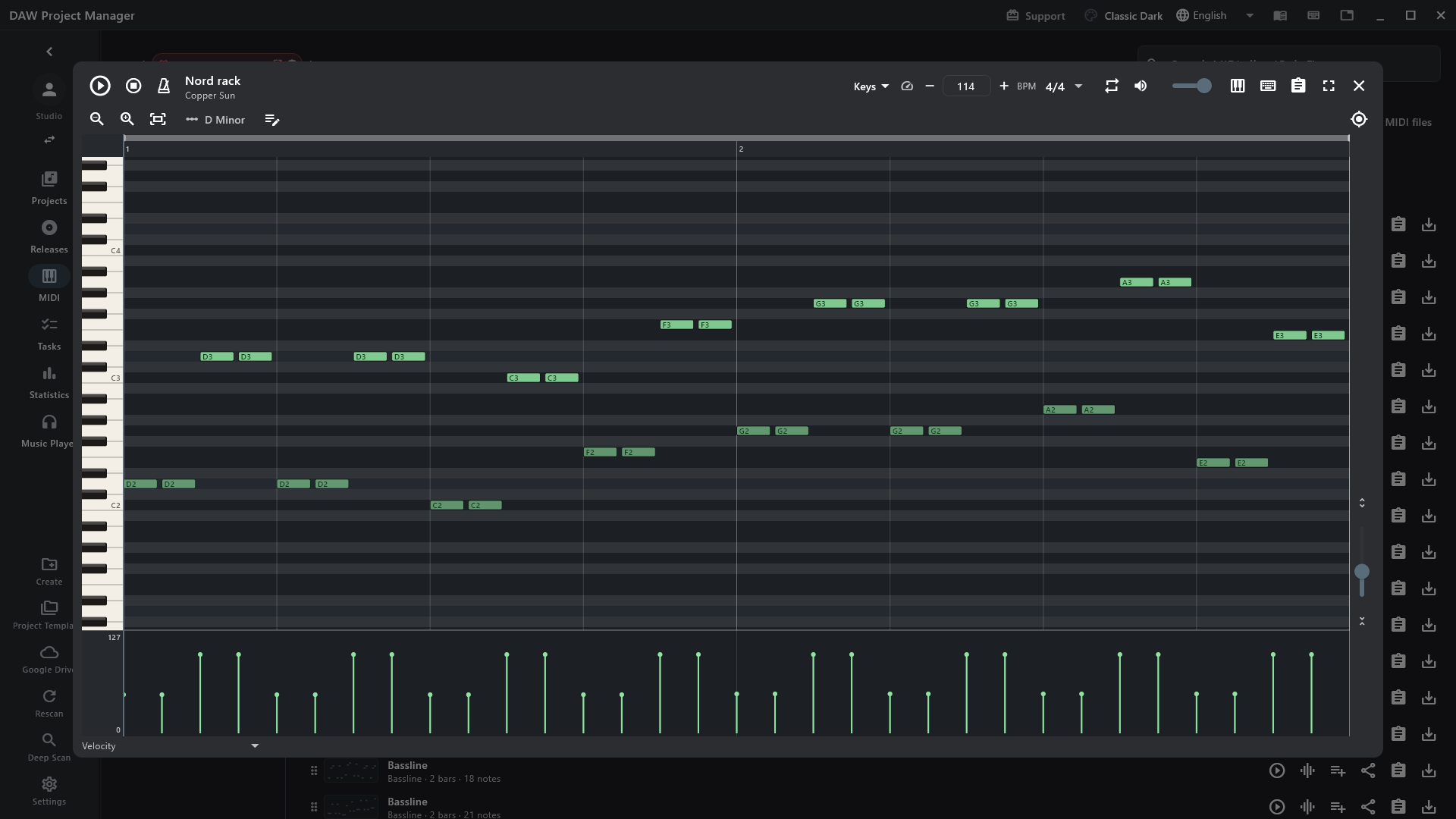
Plug in a MIDI keyboard and the piano roll plays it: hear each key, and see it lit on the keyboard.

  • Record takes over the loop region, cycling as many passes as you like — a whole take is one undo.
  • A metronome on every beat, in time with the clip.
  • Latency calibration: tap along to a click and recordings land where you played them.
A MIDI clip open in the piano roll
Experimental

Melodic MIDI catalog

The leads, arps and melodies of your projects as .mid files, a folder per project, with a catalog of tempo, key and range.

Experimental

Insert reference page

A page built from your Cubase projects: the plug-in chains per track role, the master chain, and every insert you have used.

Experimental

Cubase template data

The track layout of your Cubase projects, written out as the spec for a template of your own.

New

Moved a project folder?

Point the app at its new place: every project, excluded folder and recently deleted song in it follows.

New · Windows

An installer that updates itself

The new Windows installer keeps the app up to date from inside it: Update Now, and it restarts on the new version.

New · Google Drive

Sync that merges

Every device’s changes come together, deletions travel too, and earlier backups can be recovered. Deleted songs wait 30 days in Recently deleted.

The experimental tools are in Settings → Experimental: they work, and may still change.

Project Management

Manage your DAW projects from a single application. No more folders. Never lose track of a project.

Inside every project

Advanced Metadata Extraction

DAW version, BPM, musical key and project notes — read from every project, no manual tagging. For Ableton Live, Cubase, Nuendo, FL Studio and Reaper it goes further: tracks of each kind, the plug-ins it loads, and every MIDI clip.

Extract Metadata option in a project’s action menu
Preview

Finds your mixdowns

Export a mix from your DAW and the app finds the file on its own, ready to play.

Playing a found preview song in the app
Tasks

TODO lists

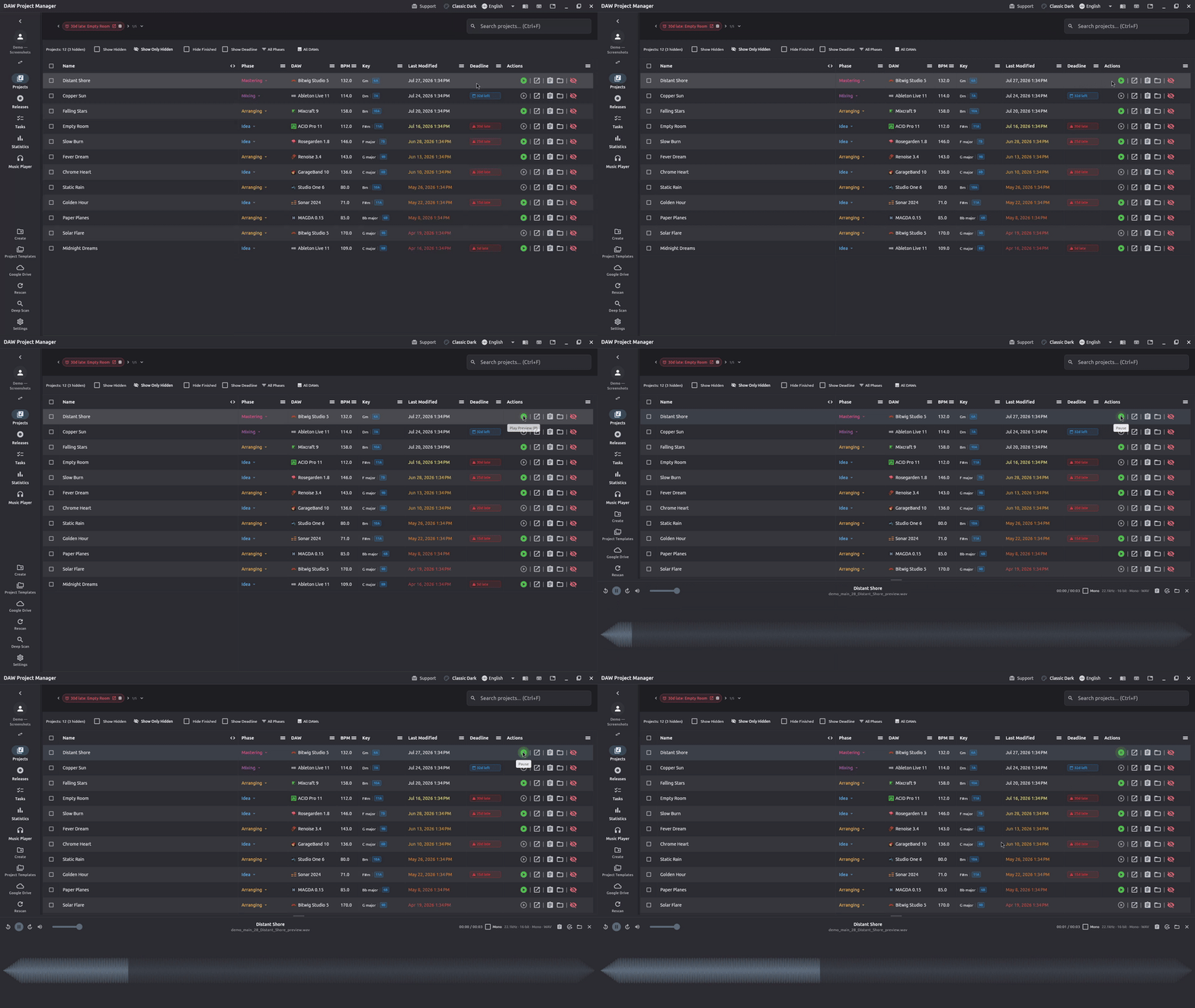
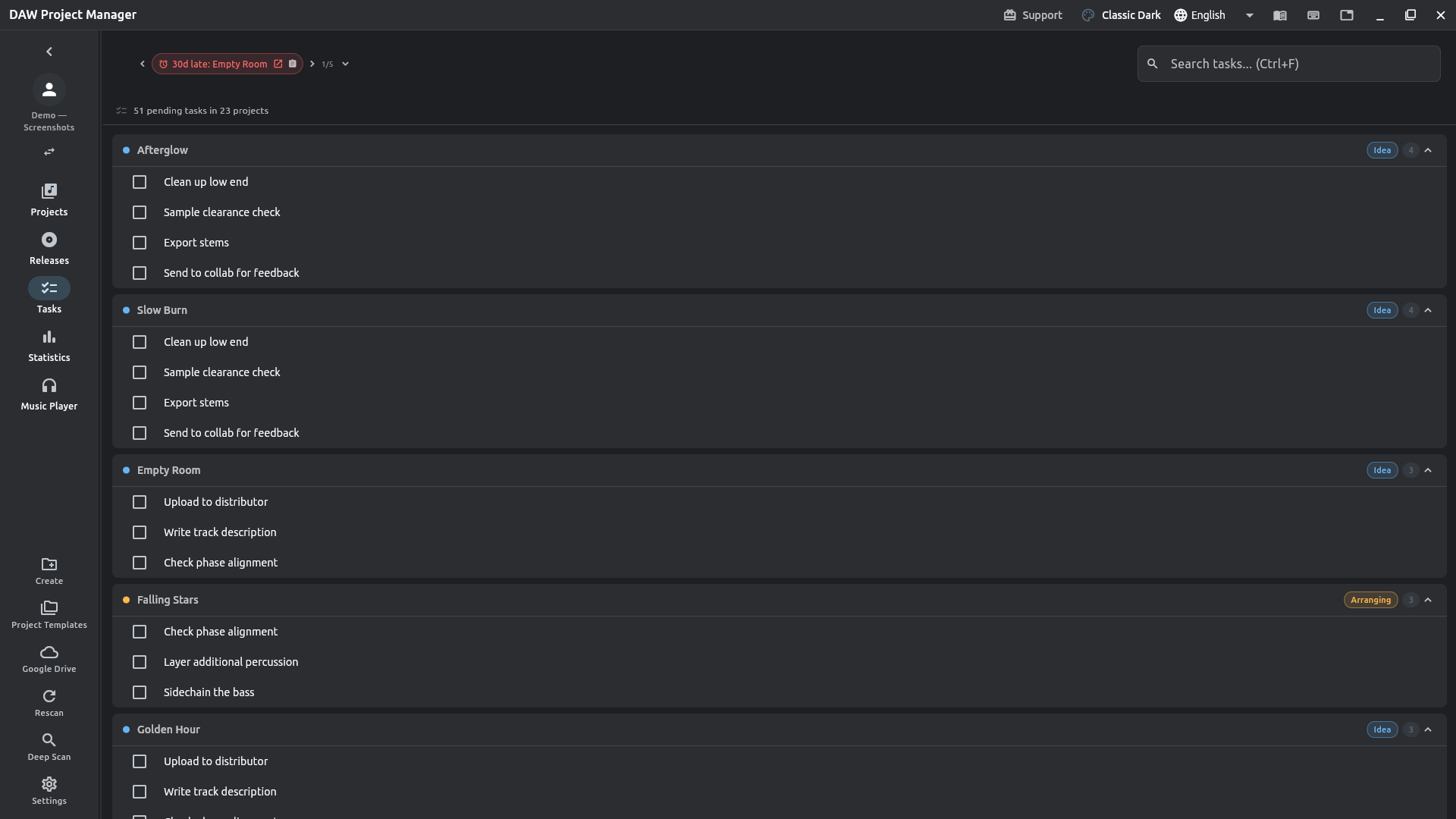
A checklist per project, and every unfinished task across your library in one queue.

Task Queue tab showing pending todos grouped by project
MIDI

Every MIDI clip, without opening the DAW

The riffs, chords and drum patterns in every project. Play any clip through the built-in synth, edit it in the piano roll, and drag it into your DAW as a .mid — tempo and key included.

A MIDI clip open in the piano roll
Work sessions

How long has this song taken?

In Session Mode you start a session on a project, and the time you work on it adds up: per session, and in total.

A work session running on a project
Versions

Song.flp, Song_2.flp, Song_3.flp: one song

Stack them and the library shows it once, with one set of notes, to-dos and work time. Unstacking gives each version back exactly what it had.

Workflow

Your own phases

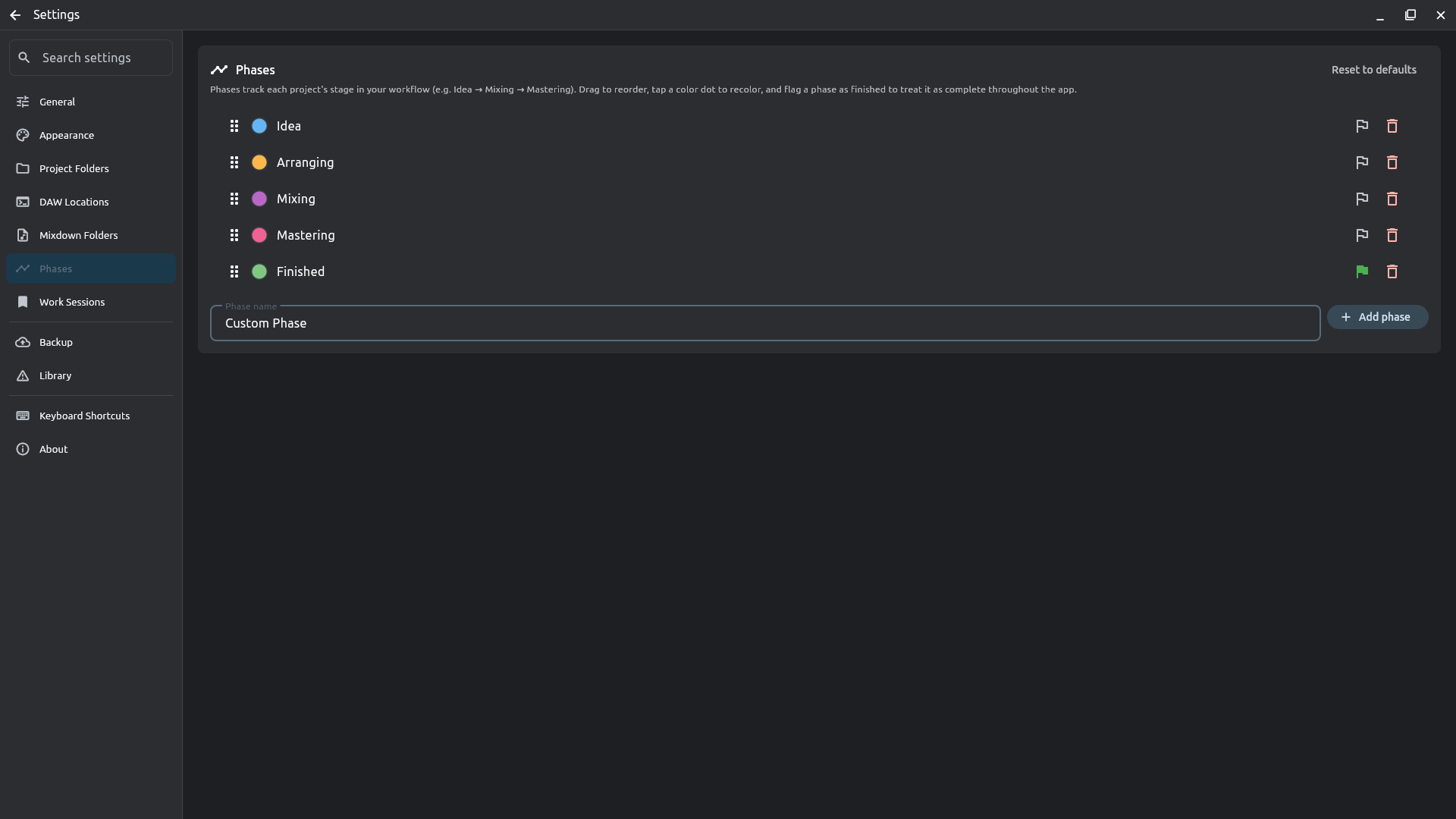
Rename, reorder and color your production phases. Every change is logged to the project’s timeline.

Phases settings — reorder, recolor and rename production phases
Releases

EPs, albums, singles

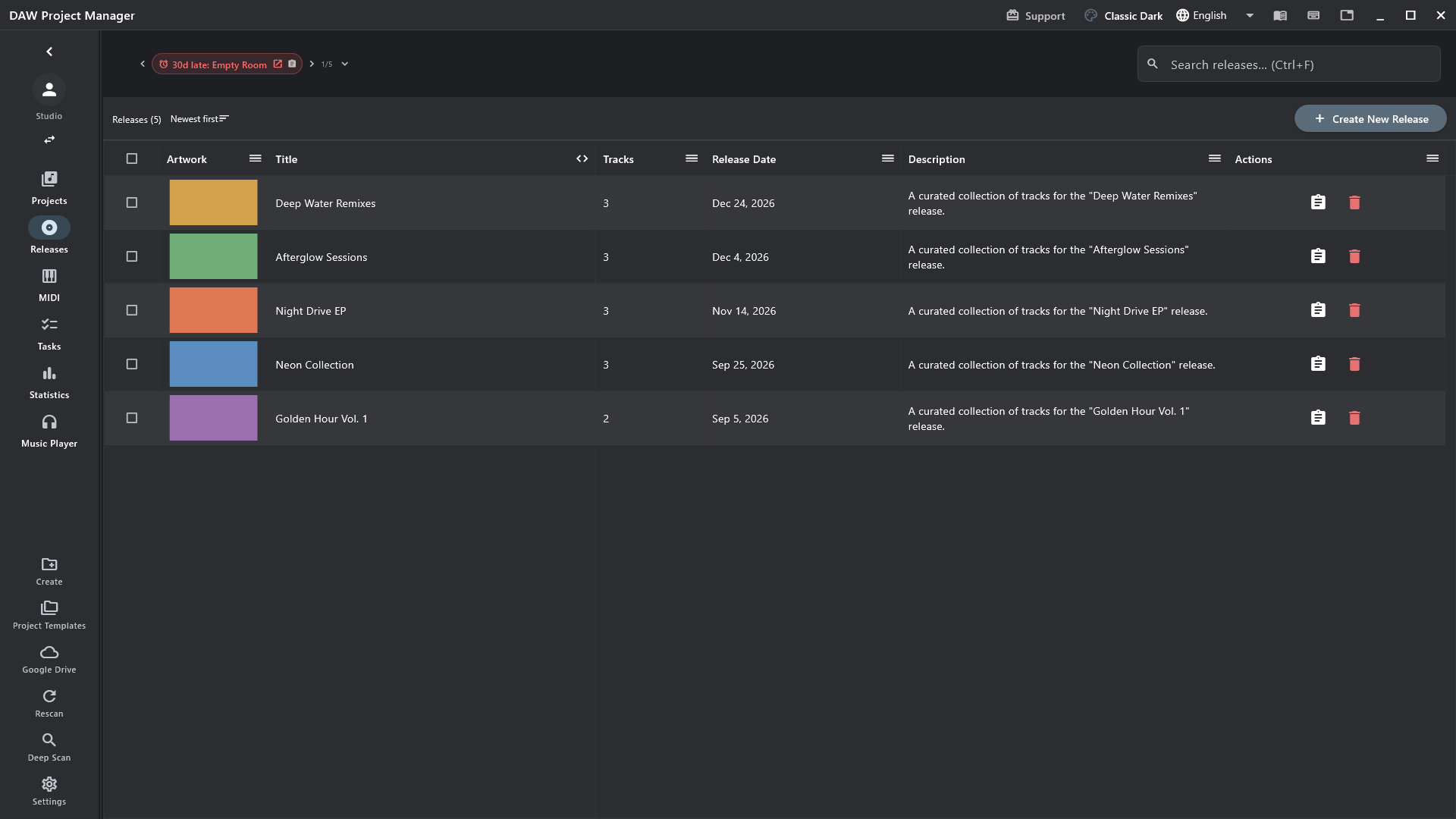
Tracks, artwork, date, to-dos and files in one place — and a ZIP for the distributor.

The releases list
Templates

Save it once, reuse it

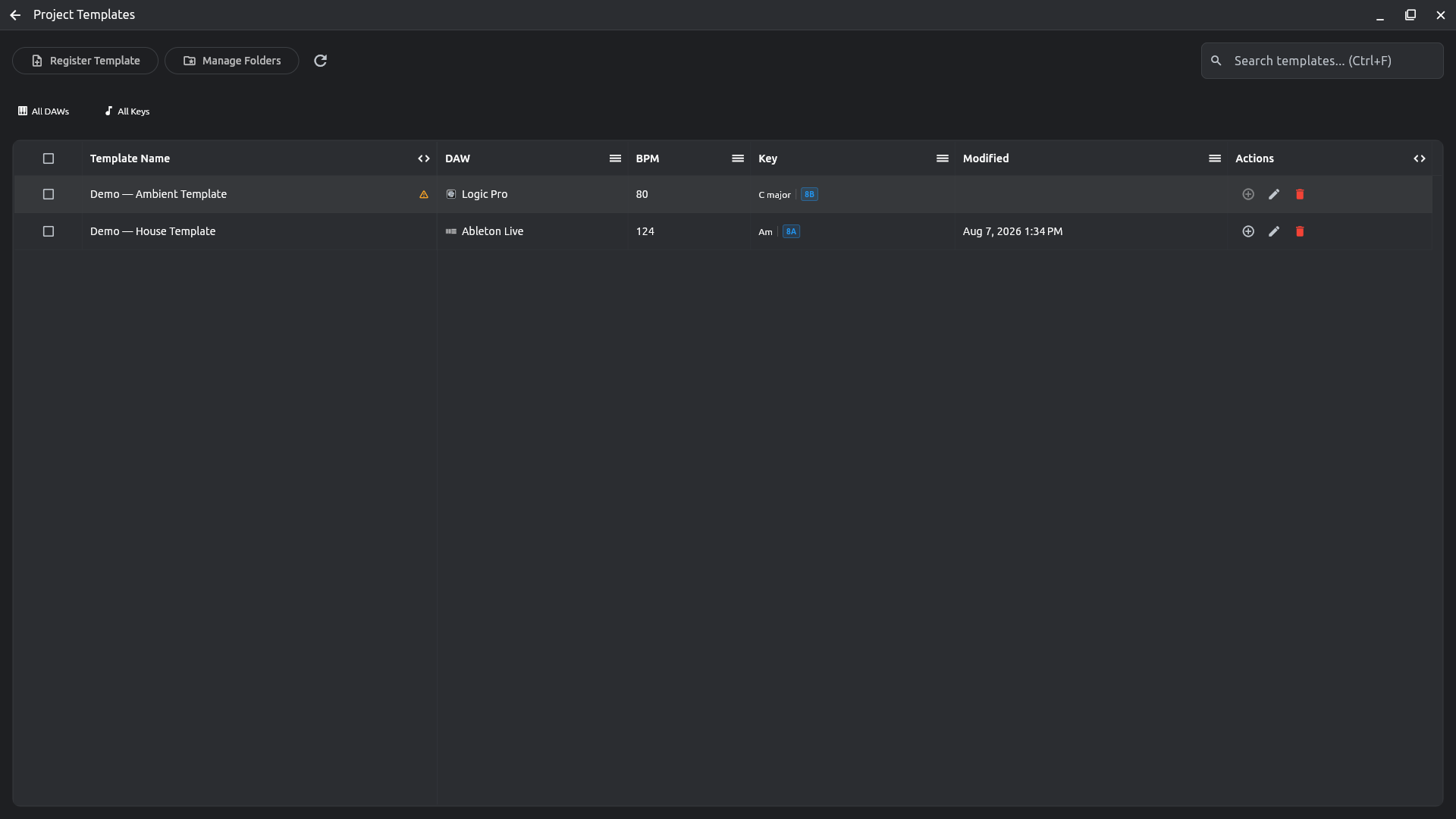
Turn any project into a template — BPM, key, DAW and starter files — and start new songs from it.

Project Templates page listing saved templates
Privacy

Offline first

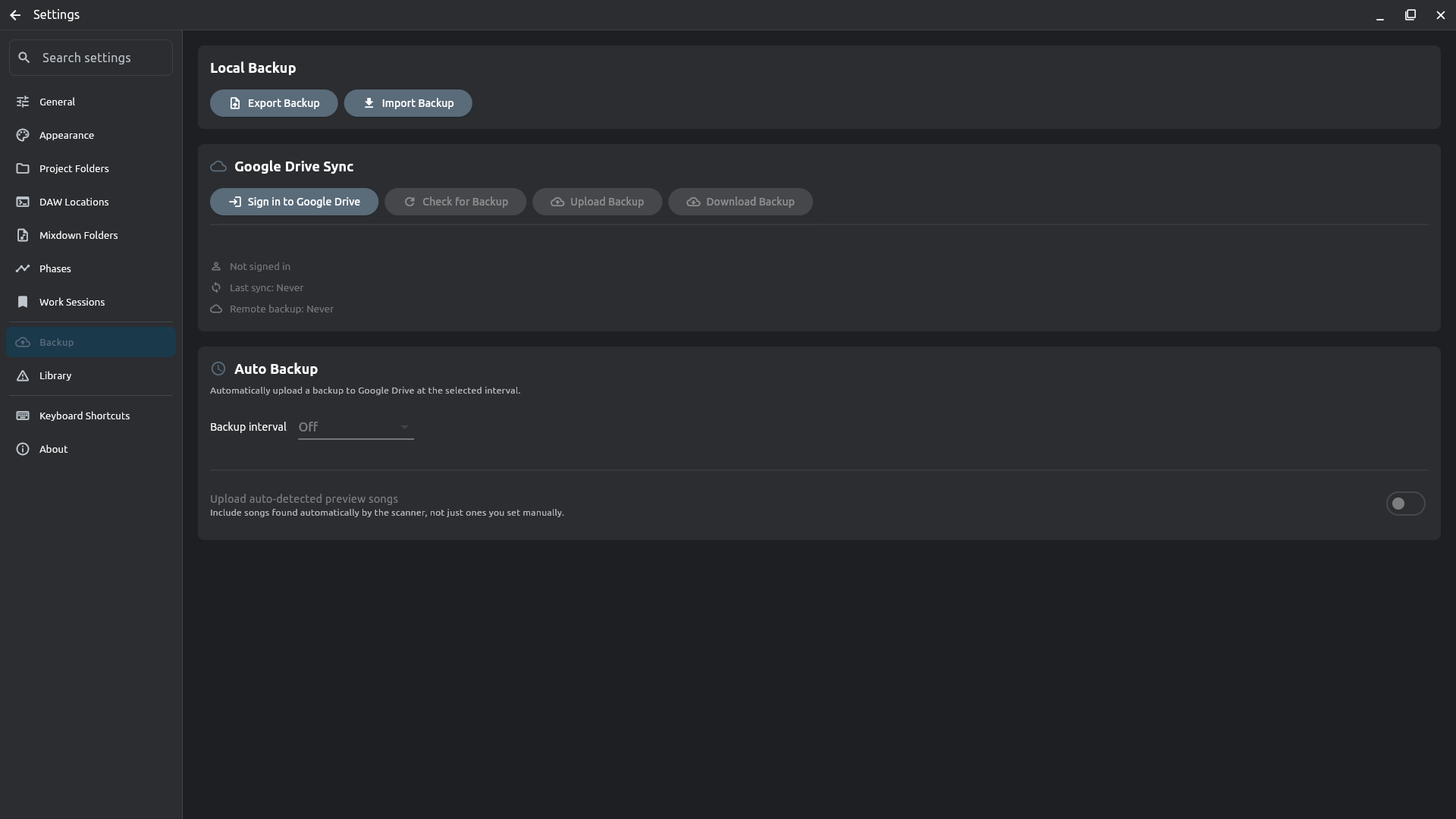
Everything lives on your machine. Optionally sync your project details to your own Google Drive — your project files are never sent to the cloud.

Settings — Google Drive Sync, with sign-in and auto-backup controls

And much more — the whole tour is in the user guide.

Supported DAWs

Automatically detects projects from all major Digital Audio Workstations

Ableton Live
Bitwig Studio
Cakewalk / Sonar
Cubase
FL Studio
Logic Pro
MAGDA
Maschine
Nuendo
Pro Tools
Reaper
Studio One
Tracktion Waveform
Universal Audio LUNA
Ardour
GarageBand
Renoise
LMMS
Audacity
Qtractor
Reason
Digital Performer
Adobe Audition
Samplitude / Sequoia
ACID Pro
Mixcraft
Rosegarden
Zrythm

Download

Free and open source — always

For this computer

Windows

Windows 10 or later (64-bit)

Microsoft Storeor the installer (.exe) — updates itself

Not code-signed yet: Windows may show Windows protected your PC — More info → Run anyway.

For this computer

macOS

macOS 10.14 or later

Download .dmg

Not notarized by Apple yet — after opening the app, go to System Settings → Privacy & Security and click Open Anyway.

For this computer

Linux

AppImage — no install, works on most distros

Download AppImageor get it on Flathub

Android — join the test

The Android app is in testing. Join the Google Group to get access and the instructions for the testing app.

Join now

Source code and every release on GitHub.

Palette